


OPTI Software has published an complete guide to apply AI in B2B . The guide explains in detail why, how, and exactly what an industrial or distribution company can do to leverage AI.
But we know that in business, speed is critical. Many AI projects fail not because of the technology, but because of analysis paralysis that can last months or even years.
From our 200-page guide, we extracted a 30-Day Sprint. Here is how you can structure your decision and preliminary analysis within one month, before committing to actual development costs.
Read the full guide and register for the PDF version here
Week 1: Data and the Company’s Reality
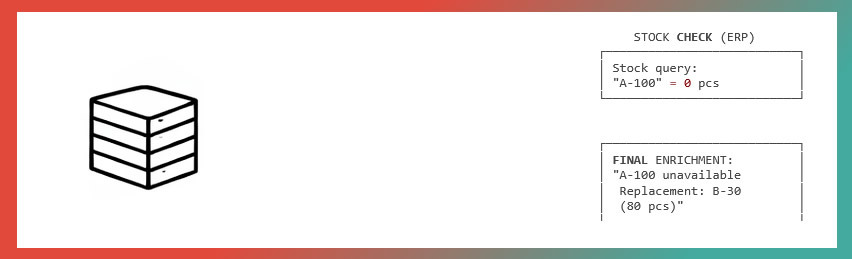
Objective: Know exactly what you have inside the company before assigning work to your new virtual employee (AI).
1. Inventory of source systems
You cannot build AI on data you cannot find. Create a complete list:
- ERP: NetSuite, Epicor, Sage, Infor, Microsoft D365, Oracle JD Edwards etc.
- E-commerce site: custom, Adobe Magento, WooCommerce, etc.
- CRM: HubSpot, Pipedrive, Zoho, Microsoft D365, Salesforce, etc.
- Critical Excel files (special pricing per client?)
Action: Determine which system is the single source of truth for the product catalog (codes, attributes, compatibilities).
2. Defining business events
What do you want AI to learn from your company’s activity? Define the minimum set:
- Product_view / Category_view
- Add_to_order / Order_registration
- Add_to_quote / Quote_registration
- Quote_acceptance / Quote_rejection
Action: Check how these events are currently stored (logs, database).
3. Data quality audit
Identify inconsistent or “dirty” data that could mislead the algorithms:
- Ambiguous or duplicate codes
- Historical abbreviations (e.g., rob.val.cr)
- Identical data stored in different formats
Action: Create a prioritized list for data cleansing.
See in detail Chapter 2 (Technology) and Chapter 4.1 (Minimal Steps) in the Guide
Week 2: Commercial Strategy
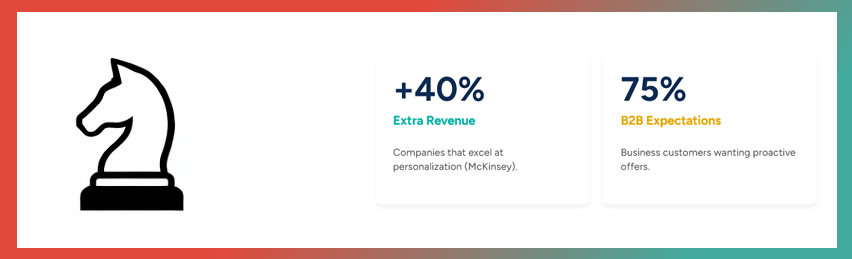
Objective: Decide which financial problem you are solving to ensure ROI (return on investment).
1. Identifying painful sales problems
Do not implement AI just because it is trendy. Choose 2–3 problems that truly impact performance:
- Lack of upsell, especially among junior sales agents
- Customer loss due to stock shortages
- Excessive quoting time for complex carts
Tip: Review the performance indicators to identify them.
2. Selecting a solution from those proposed
The Guide illustrates ten concrete deliverables, including:
- Sales Agent Copilot: an assistant that suggests next best actions to the sales agent.
- Smart Substitutes: intelligent product replacement when stock is unavailable.
- Dynamic Bundling: automatic generation of product bundles.
- Predictive Replenishment: forecasting when a client is likely to run out of stock.
Action: Designate one project as a pilot and schedule the others for Phase 2.
3. Collecting examples
Select real shopping carts from recent history (anonymized) to use as test cases.
- Example of a cart where an upsell opportunity was missed.
- Example of a lost order because no substitute was offered.
Tip: This will support your project plan.
See in detail Chapter 3 (Myths, industries, and ten AI deliverables) in the Guide
Week 3: Architecture and Security
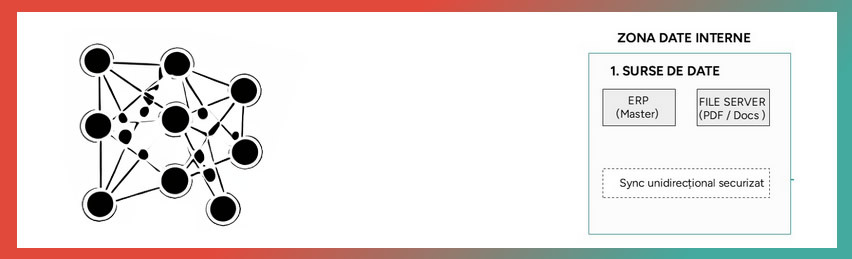
Objective: Design the technical system and define its boundaries.
1. Data and sales flows
Map how information circulates:
- From Supplier → ERP → Website.
- From Agent → Back Office → Invoicing.
- Where does AI integrate into this flow?
Action: Outline the overall AI architecture, keeping in mind that AI becomes part of your company.
2. Build vs Managed
Do you have an internal Data Science or Machine Learning team? Do you manage large volumes of data and require full control? If yes, the ⚙ Build approach makes sense.
Do you want rapid implementation? Do you prefer pre-trained algorithms (e.g., Vertex AI Search for Commerce) and usage-based pricing? If yes, the ☁ Managed approach makes sense.
Action: Provisionally decide on a direction after a careful comparison of both options..
3. Defining mandatory guardrails
Establish the rules that AI must never violate:
- Technical compatibility: Do not recommend the wrong part.
- Minimum margin: Do not sell at a loss (e.g., below 10%).
- Actual stock: Do not sell items that are not available in inventory.
See in detail Chapter 2 (Technology) and Chapter 4 (Cookbook) in the Guide
Week 4: Decision and Budget
1. Team and roles
Appoint a Business lead (Sales/Product) and a Technical lead (IT/Data). AI is not just an IT project; it is a commercial initiative.
Tip: Then define all required roles within the project team.
2. KPIs and measurement
What does success look like?
- Increase average order value (AOV) by 8%
- Reduce quoting time by 45%
- Reduce lost carts due to stock shortages by 15%
Tip: KPIs can also be defined for the technology layer (e.g., response time)..
3. Compliance and security
Document non-functional requirements:
- SOC 2 Type II, NIST AI RMF, HIPAA (for medical), CCPA (for data privacy), NIS2 (for EU business), ISO 27001, sector-specific regulations
- Cloud encryption capabilities
- Options against vendor lock-in (how to retrieve your data from AI systems)
4. Final budget (Setup vs. Run)
Consider:
- Security requirements detailed above
- Required services: delivered internally (with company resources) or externally with a vendor
- Setup and Run costs: Setup until production launch, Run for long-term operations.
Action: Create your own short checklist with the AI integration project principles. It will continuously help you track where you started.
See in detail Chapter 2 (Technology) and Chapter 5 (Decision and Budget) in the Guide
How do you use this checklist?
We wrote this summary of Guide 1 with four goals in mind. You can use it:
- As a quick working appendix in internal meetings.
- As a briefing document for the IT department if they do not have time to read the full guide.
- As a verification sheet for an AI implementation partner (to ensure no essential steps are skipped).
- As agenda for your first meeting with us, if you develop a project with OPTI.
Would you like to review the technical details, code examples, and architecture diagrams for each of these steps?
Download the complete OPTI Guide: Recommendations, Upsell, and Rules
See AI Sales Quoting Platform - the software-as-a-service solution