Note: This article is over a year old. Some information may be outdated. We recommend reading the latest documentation or talking to one of our experts.
After OPTI implemented the Mobile payment standardized platform (see case
study here) for one of
our partners, the need for a reporting tool that could gather all the data
from the database and represent it correctly, emerged.The importance of
this task was paramount, because the management wanted to be able to take
action in real time, based on the reports that OPTI built. We decided that
charts were not only necessary but extremely important for fast and
accurate decision making and started looking for an interactive tool that
displayed the data correctly, was looking good, was easy to use and stood
the test of time. After careful examination, we decided that Google Charts
was what we and our partner needed.
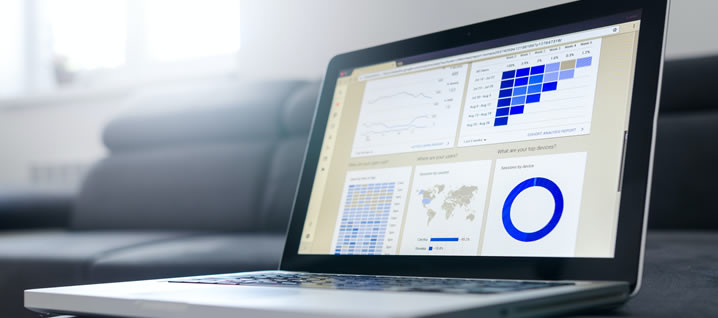
Google Charts is a JavaScript-based data visualization library built by
Google that is easy to use and has a wide variety of customization options.
It provides a rich selection of data visualization types and renders the
charts using HTML5 and SVG. With a few lines of code you can build a chart
that looks both professional and nice to look on desktop and mobile. The
charts can be powered with static data or with data from a database.
The library comes with many different chart types, from the most common
ones to the most advanced-style charts. Some of the chart types that come
with Google Charts:
1) Column and Bar Chart - is a data visualization where each category is
represented by a rectangle, with the height of it being proportional to the
values plotted.
2) Pie Chart - it can be used to show percentages of a whole at a set point
in time.
3) Scatter Chart - it uses dots to represent the values for two different
numeric variables. This chart is used to analyze relationships between
variables.
4) Line Chart - is used to track changes of a variable over periods of time
5) Histogram Chart - is similar with Bar Charts but his type plots the
distribution of a numeric variable as series of bars, each one representing
a class
6) Geo chart - shows a map of a country or region with the values for each
location shown in colors.
7) Calendar Chart - shows activity over a specific span of time, such as
months or years. They are used to show how quantities vary.
Do you need an analytics dashboard for your business? See our case study
here.
Quick Questions
What is the TLDR (conclusion)?
Integrating Google Charts into a web application is a powerful way to enhance data visualization. Because it's a JavaScript library, it can be connected to any backend data source—like a MySQL database or a REST API—to create dynamic and real-time business intelligence (BI) dashboards.
What technologies and methodologies are involved?
Technologies: Google Charts, JavaScript, HTML5, SVG, MySQL, API Methodologies: Data visualization, Business Intelligence (BI), Dashboard, Reporting, Web development
Why does ChatGPT fail in B2B? Discover how Hybrid AI Architecture (neuro-symbolic) protects data and combines neural networks with strict business rules for distribution, manufacturing, and B2B.
Major 2025-2026 updates to Vertex AI Search for commerce: Conversational Search API, Merchandising Console with Agentic Explainability, and UCP readiness. Case studies from Toolstation and Grupo Casas Bahia. Hybrid ERP integration by OPTI Software.
BeeGlobal & System2 conference in New York, April 28, 2026. Marian Călborean (OPTI Software) presents hybrid AI architecture and guardrails in Google Cloud. In-person event in Manhattan.