Note: This article is over a year old. Some information may be outdated. We recommend reading the latest documentation or talking to one of our experts.
Shopify is one of the leading e-commerce platforms on the market. In 2021,
Shopify powered more than one million online stores in 175 countries.
According to research, 87% of Shopify merchants use third-party apps or
integrations, one of them being Hubspot, to automate their sales,
marketing, or customer service operations. For some, this might seem to
lead to double work, but in reality, it’s not the case. Hubspot and Shopify
are compatible and fully integrable.
The Hubspot and Shopify integration will merge your marketing endeavors and
e-commerce activities. To integrate Shopify and Hubspot, you must install
the Shopify App from the Hubspot Marketplace. After the installation you
can insert the store URL, connect to it and synchronize the data between
the two applications. Once your data is in Hubspot you can create abandoned
cart emails, use workflows for the orders, or create a comprehensive
dashboard with all the essential data. What else can you do with the
integration? Let’s dive into some examples.
Products
Shopify products will be created in the Hubspot product library and all the
important properties will sync between the 2 applications. If a product is
deleted in Shopify, the corresponding one from Hubspot will be deleted as
well , so you will always have the most up-to-date information in Hubspot.
Keep in mind that when a product is deleted from a cart the corresponding
line item will not be deleted from the deal record in Hubspot, since line
items are local variations of a product library item. Also, the deletion of
Shopify products only from HubSpot is not possible.
Orders
Shopify orders can be automatically synced to Hubspot. While each order in
Shopify is associated with a product and a customer, in Hubspot the process
is a bit different. Each order will turn into a Deal, which is a
stand-alone object in Hubspot, and will have as associations the ordered
products and, where available, the contact that made the order.
Keep in mind that, depending on how the pipeline and the processes are
defined, you may need to set up additional workflows to set up properties
or add contacts to a customer list.
Contacts
Shopify customers will synchronize with HubSpot contacts by email. A new
contact will be created in HubSpot when a Shopify customer will be created
with an email address that’s not part of the Hubspot CRM yet. If it exists,
the existing contact will only be updated with the new information. This
automated process relies on Hubspot’s embedded de-duplication tool.
Keep in mind that the deletion of contacts from one app will not delete
them in the other application unless the sync is set up this way.
Creating an e-commerce dashboard
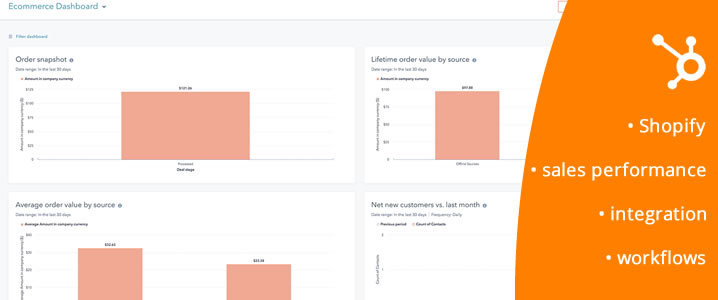
After the synchronization of the apps, you can find a multitude of pre-made
reports in the E-commerce template to help you kick start your reporting
process and understand where your business stands.
Keep in mind that besides the existing reports templates, you have a
versatile custom report builder available in Hubspot, where you can combine
any order-related properties and information to generate visually appealing
reports.
Workflows for campaigns
You can create workflows to follow up with your Shopify customers. Here
are some examples of e-commerce workflow you can build in Hubspot:
New customer - will send an email when a new customer does his first
purchase on your online shop. This will ensure a great customer experience
from the first purchase.
Abandonment cart notification - if an existing customer has abandoned the
cart, the workflow will send a reminder after a time delay, so that the
contact can place the order with the selected products. This type of
workflows help companies reduce the cart abandonment rate and can be
extremely beneficial in increasing the customer loyalty.
Re-engagement workflows - will trigger a series of notifications and
actions when a contact did not make a purchase for a specific number of
days. Companies are using this type of workflow to inform the existing
customers about the newly added products or the available offers in the
shop.
Final thoughts
Online shopping behaviors are changing at a fast pace. But with the right
tools in hand, companies can be on top of it and make decisions that are
beneficial for both the business and the customers. For the organizations
using Shopify and Hubspot, the process is even easier. There are many
benefits of integrating HubSpot with Shopify, such as increased revenue by
recovering abandoned shopping carts, advanced customer reporting, access to
Hubspot's powerful instruments, and a great customer experience that in the
end leads to customer loyalty. No matter what your goal is you can reach
out and we will help your business get better and better.
Steps Overview
Step 1: Install the Shopify App from the HubSpot Marketplace
In your HubSpot account, navigate to the App Marketplace and search for 'Shopify'. Install the official app developed by HubSpot and follow the prompts to log in and connect your Shopify store.
Step 2: Configure the Initial Sync
Choose the date from which you want the data sync to begin. The app will automatically start importing your existing contacts, companies, and deals from Shopify into HubSpot.
Step 3: Map Fields and Statuses
Review how the standard fields are mapped (e.g., 'Shopify Tags' to 'HubSpot Properties'). Ensure that the order statuses from Shopify are correctly aligned with the deal pipeline stages in HubSpot.
Step 4: Create Lists and Automations
Once the data is synced, create contact lists in HubSpot based on Shopify data (e.g., 'Customers who bought product X', 'Customers with abandoned carts'). Use these lists to trigger automated email marketing campaigns.
Quick Questions
What data syncs between Shopify and HubSpot?
The integration syncs contacts, companies, products, and orders (which appear as 'Deals' in HubSpot). The data is synced bidirectionally, ensuring consistency between the two platforms.
Can I create abandoned cart recovery campaigns with this integration?
Yes, this is one of the most powerful use cases. You can create a workflow in HubSpot that triggers automatically when a contact abandons a cart in Shopify, sending them a series of personalized emails to encourage them to complete the purchase.
How can I see what products a customer has purchased directly in HubSpot?
On a contact's record in HubSpot, you will have a special 'Shopify' card that displays their complete order history, the products purchased, the total amount spent, and even information about abandoned carts.
What is the TLDR (conclusion)?
The true power of the HubSpot-Shopify integration lies in automation. You can create workflows for abandoned cart recovery, send personalized re-engagement campaigns to past customers, and segment your audience based on purchase history for highly targeted promotions.
What technologies and methodologies are involved?
Technologies: HubSpot, Shopify, eCommerce Methodologies: eCommerce integration, Data synchronization, Marketing automation, Data analysis, Abandoned cart recovery
Why does ChatGPT fail in B2B? Discover how Hybrid AI Architecture (neuro-symbolic) protects data and combines neural networks with strict business rules for distribution, manufacturing, and B2B.
Major 2025-2026 updates to Vertex AI Search for commerce: Conversational Search API, Merchandising Console with Agentic Explainability, and UCP readiness. Case studies from Toolstation and Grupo Casas Bahia. Hybrid ERP integration by OPTI Software.
BeeGlobal & System2 conference in New York, April 28, 2026. Marian Călborean (OPTI Software) presents hybrid AI architecture and guardrails in Google Cloud. In-person event in Manhattan.