Note: This article is over a year old. Some information may be outdated. We recommend reading the latest documentation or talking to one of our experts.
Email Marketing Automation is vital for any business in order to harvest
major opportunities and keep your target audience permanently engaged.
Email Automation helps convert leads into customers, encourages additional
purchases through targeted promotions, and engages customers in different
activities regarding your brand. The campaigns are executed automatically
and are personalized based on customer behaviors or attributes to improve
accuracy and impact. This eliminates tasks that are resource-heavy and
allows marketers to focus their attention on tasks that cannot be
automated.
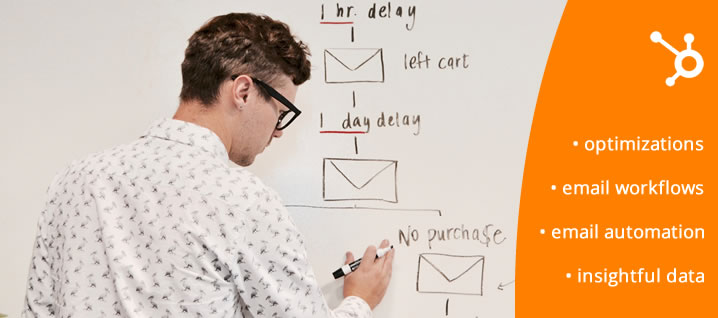
One of the Hubspot tools that help you build email automation is the
workflow area. In Hubspot, a workflow is a set of predetermined actions
based on a starting condition. The condition is a rule that fires when a
lead enters a workflow and this can be triggered by all kinds of events,
such as when a contact submits a form or visits a page.
With Hubspot Marketing Automation you can automate your campaigns without
any code. You just select the triggers, conditions, and actions and you're
ready to go.
Steps to Automate Email Workflows
1. Identify the target group/enrollment criteria: decide to whom you will
send the email. You can use different criteria to start a campaign for a
selected audience. For example, you can use the lifecycle stage as the main
trigger and send a personalized email when a contact converts into a
customer or select all inactive contacts and send them an email. You can
also include other conditions such as time since the last website visit or
past purchases to help upsell or cross-sell to customers.
2. Determine the campaign goal. When a contact meets the goal it will
automatically unenroll from the email campaign and will not receive any
more emails, even if the workflow was not completed. The goal can be
anything quantifiable, such as a purchase, a form, or a website visit.
3. Test your setup: Hubspot offers the option to test your workflows
without turning them on. Simply select one of your contacts and you will be
able to see if they will be enrolled and the branches they would go
through.
4. Make your workflow live and see the results: once the workflow is on,
the reporting are in your workflow will start to populate with insightful
data. You can constantly check this area to understand what emails from
your campaign are working better, and also identify potential errors in the
process.
Final thoughts
When the email workflows are set up correctly, your work is half done, now
it’s time to watch how people are responding to them so you can apply
additional optimizations.
OPTI Systems has over 15 years of experience in software development and is
a Hubspot implementer in Romania. Looking for ways to bring more value into
your company by implementing email marketing automation? Reach out today.
Steps Overview
Step 1: Define the Enrollment Trigger
In HubSpot, navigate to Automation > Workflows. Set the criteria that will start the automation, for example, 'Contact submitted form on page X' or 'Contact property Lifecycle Stage is Lead'.
Step 2: Add the First Action (e.g., Send an Email)
Click the '+' icon to add an action. Select 'Send email' and choose a marketing email you have previously created. This will be the first email the contact receives.
Step 3: Add a Delay
Add a 'Delay' action to set a pause before the next step. For example, 'Wait for 3 days'. This prevents sending emails too frequently.
Step 4: Use If/Then Branches
Add an 'If/then' branch to customize the flow. For example, 'If the contact clicked the link in the previous email, send them email A; if not, send them email B'.
Step 5: Set a Goal and Turn On the Workflow
Define a goal, for example, 'Contact has filled out the demo request form'. Once a contact meets this goal, they will be automatically unenrolled from the workflow. Finally, review and activate the workflow.
Quick Questions
What is the TLDR (conclusion)?
Beyond simple email sends, HubSpot Workflows can be used for complete lead nurturing campaigns. By using if/then branches based on contact properties or behavior, you can create dynamic paths that deliver the right message to the right person at the right time.
Why does ChatGPT fail in B2B? Discover how Hybrid AI Architecture (neuro-symbolic) protects data and combines neural networks with strict business rules for distribution, manufacturing, and B2B.
Major 2025-2026 updates to Vertex AI Search for commerce: Conversational Search API, Merchandising Console with Agentic Explainability, and UCP readiness. Case studies from Toolstation and Grupo Casas Bahia. Hybrid ERP integration by OPTI Software.
BeeGlobal & System2 conference in New York, April 28, 2026. Marian Călborean (OPTI Software) presents hybrid AI architecture and guardrails in Google Cloud. In-person event in Manhattan.